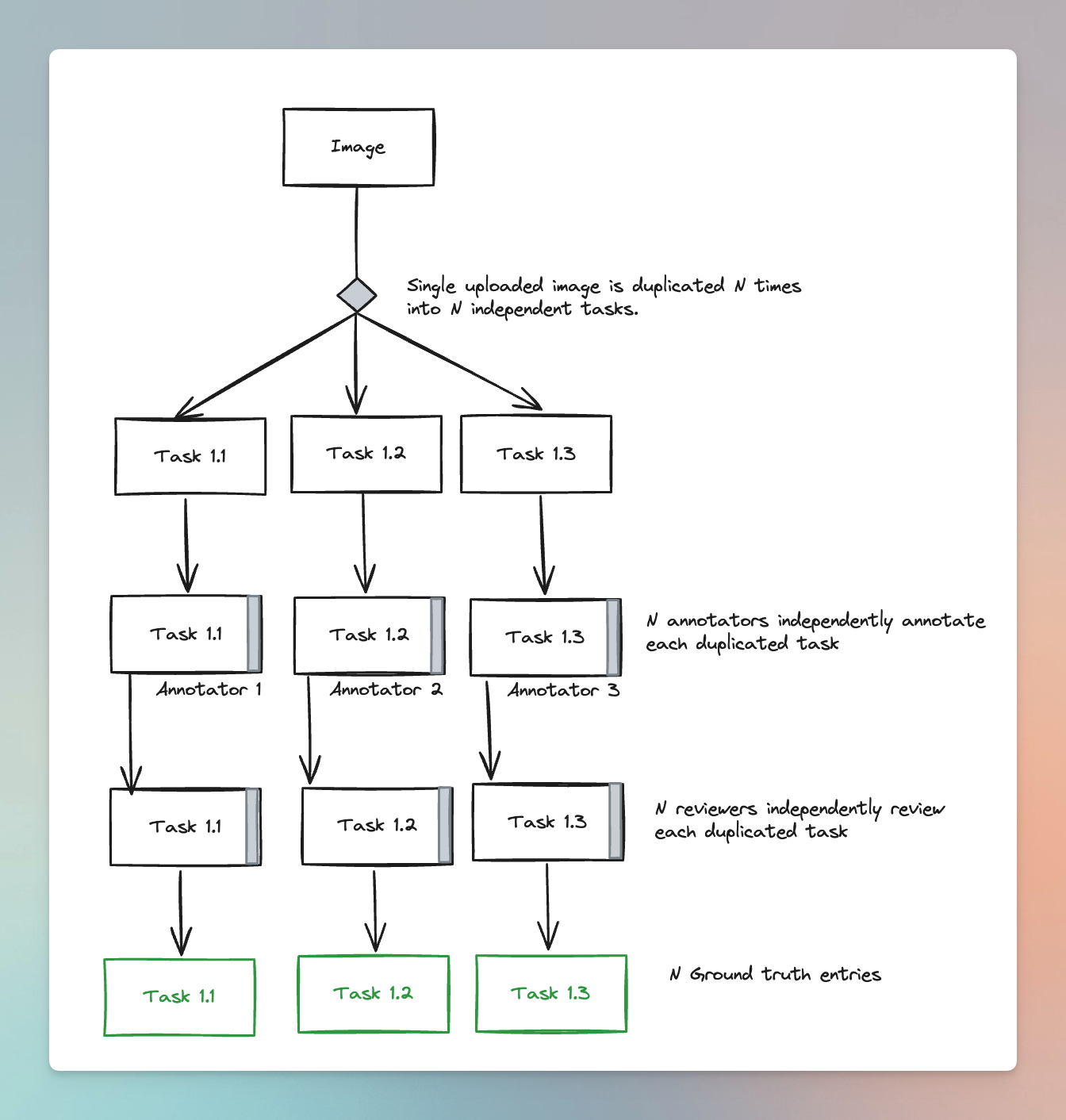
Task duplication is a project workflow setting that allows you to create N tasks from a single image so that N different labelers can annotate the image N times.Documentation Index
Fetch the complete documentation index at: https://docs.redbrickai.com/llms.txt
Use this file to discover all available pages before exploring further.
Create a Project with Task Duplication
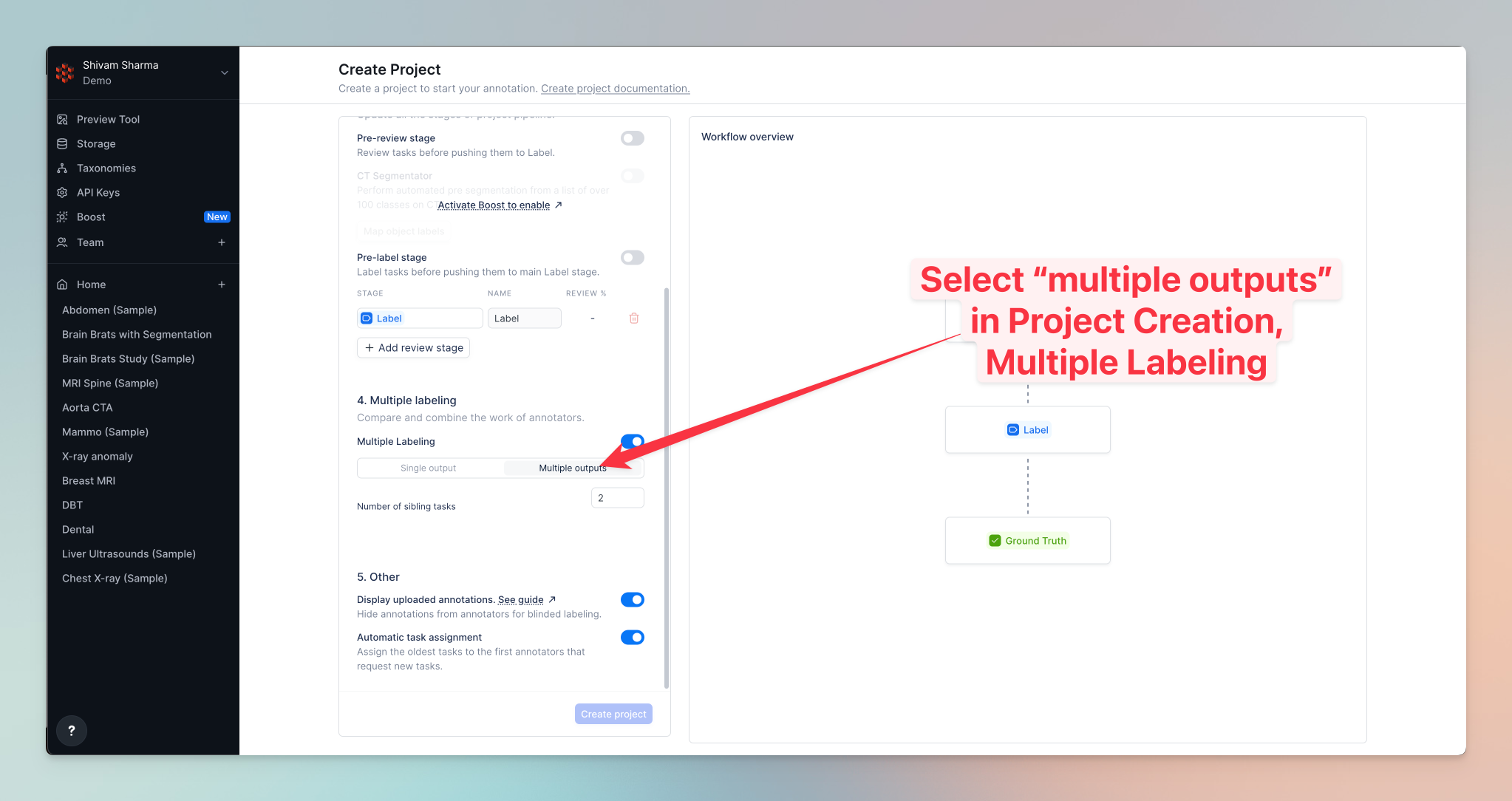
While creating a project, in the Multiple Labeling section, select Multiple Outputs and then select the number of “sibling tasks”, i.e., the number of times a task will be duplicated.