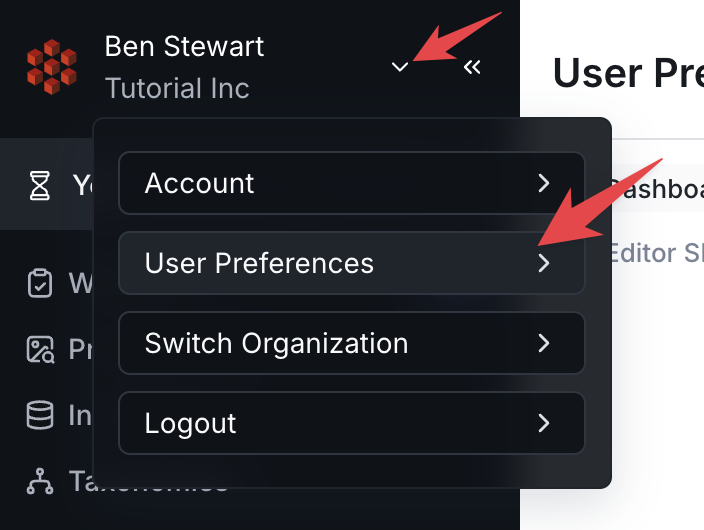
The User Preferences section allows you to configure and customize certain aspects of your RedBrick AI experience to your personal preference. You can access your User Preferences from the Home Page by expanding the dropdown field in the top left corner of the screen.Documentation Index
Fetch the complete documentation index at: https://docs.redbrickai.com/llms.txt
Use this file to discover all available pages before exploring further.
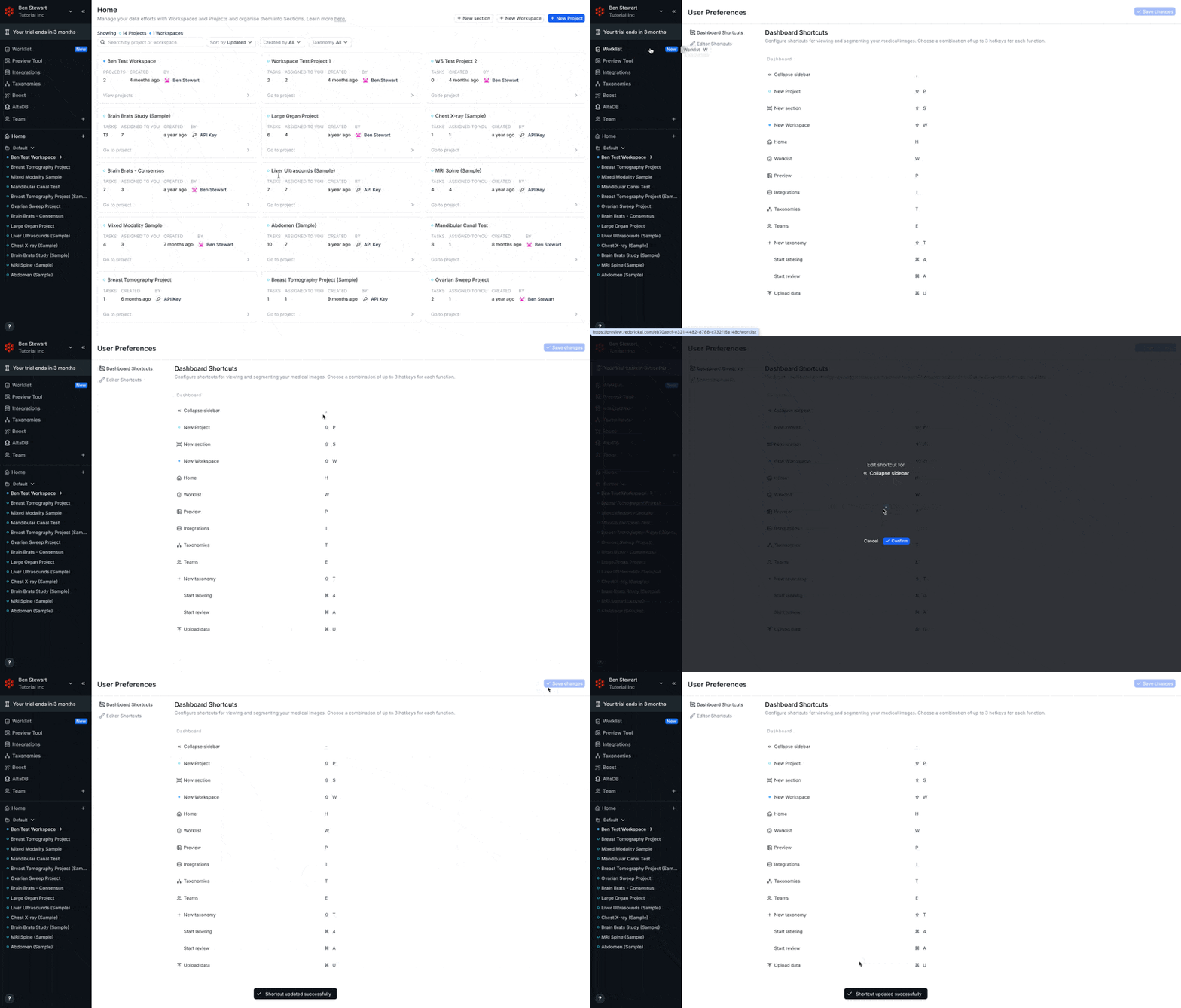
Configuring Customizable Shortcuts
RedBrick AI allows you to determine your own custom shortcuts for use in both the Dashboard (e.g. Home Page, Project & Workspace Pages, etc.) and the Editor (i.e. Annotation Tool). To configure your shortcuts:- Navigate to either the Dashboard Shortcuts or the Editor Shortcuts tab of your User Preferences
- Click on the keyboard shortcut you’d like to change
- Provide a new input
- Click Confirm
- After remapping your shortcuts, click on Save Changes in the top right corner of the screen